Ocearo 2 is out Signal K Raspberry Pi Apache 2.0

Your boat, the sea and the traffic, in live 3D.

Ocearo turns your boat’s data into a calm picture you read at a glance — sail trim, rules of the road, man overboard and anchor watch included. Open source, on any screen on board.

Live 3D
  • 3themes: day, dark, and red night to keep your night vision.
  • 5ways to see the world around the boat: sea, chart, seabed, weather, racing ground.
  • 6COLREG rules worked out live for every AIS target, with the manoeuvre to make.
  • 12languages, with metric, imperial or nautical units.
Built for sailors

Everything you need to know, at a glance.

Chartplotters show lines on a map. Ocearo shows what is really happening around your boat, the way a self-driving car shows the road: your boat, the wind, the sea state, the other vessels and what each of them must do.

The 3D view

Your boat, the sea and the seabed, live.

A real-time 3D scene centred on your boat, built from your own instruments. One button switches between five views of the world around it.

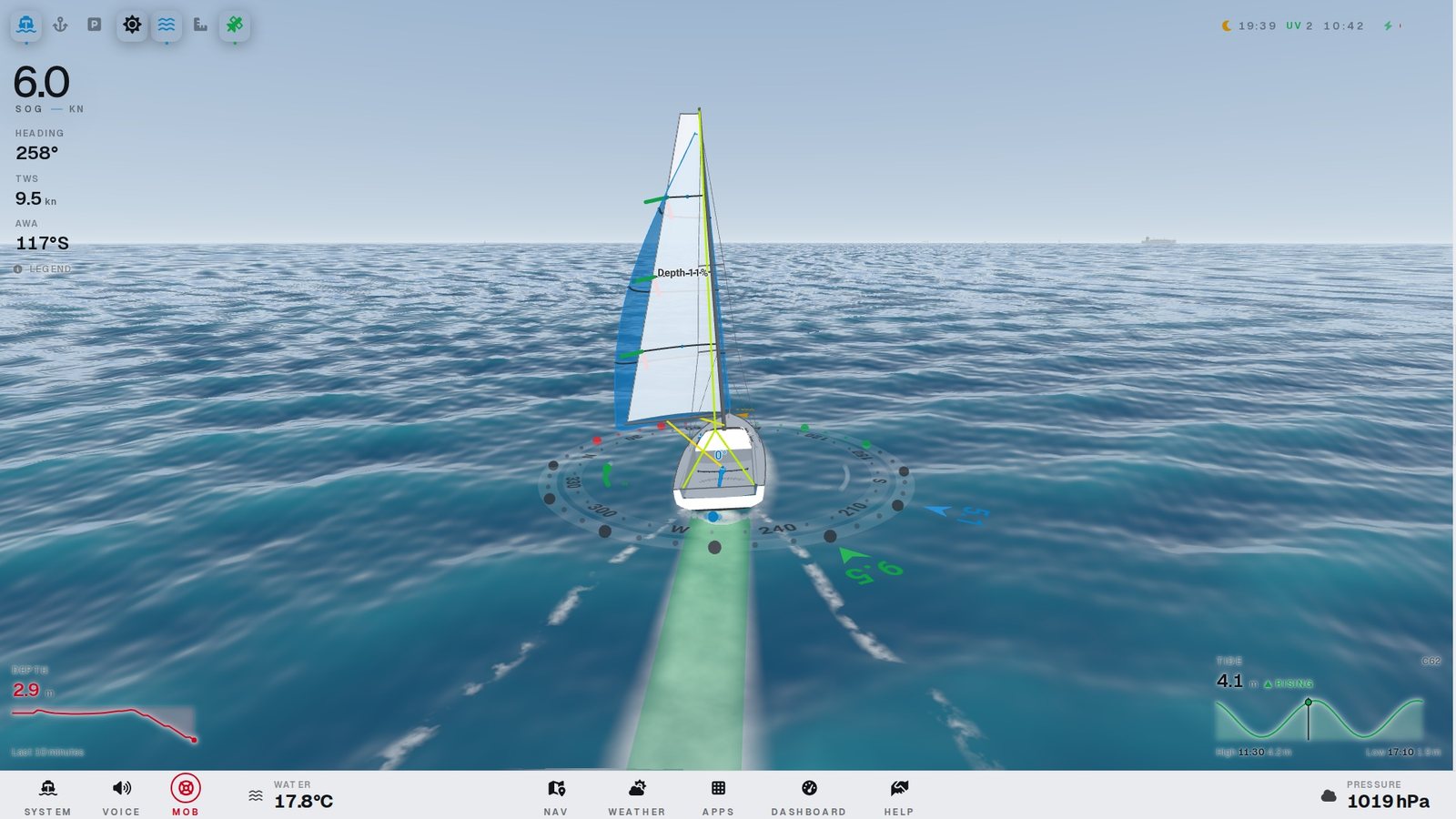
  • A sea built from the true wind. Wind sea and swell, whitecaps from 7 knots, the sun where it really is and your own wake.
  • Live chart with buoyage. OpenStreetMap and OpenSeaMap lights and marks, true to scale with the AIS targets.
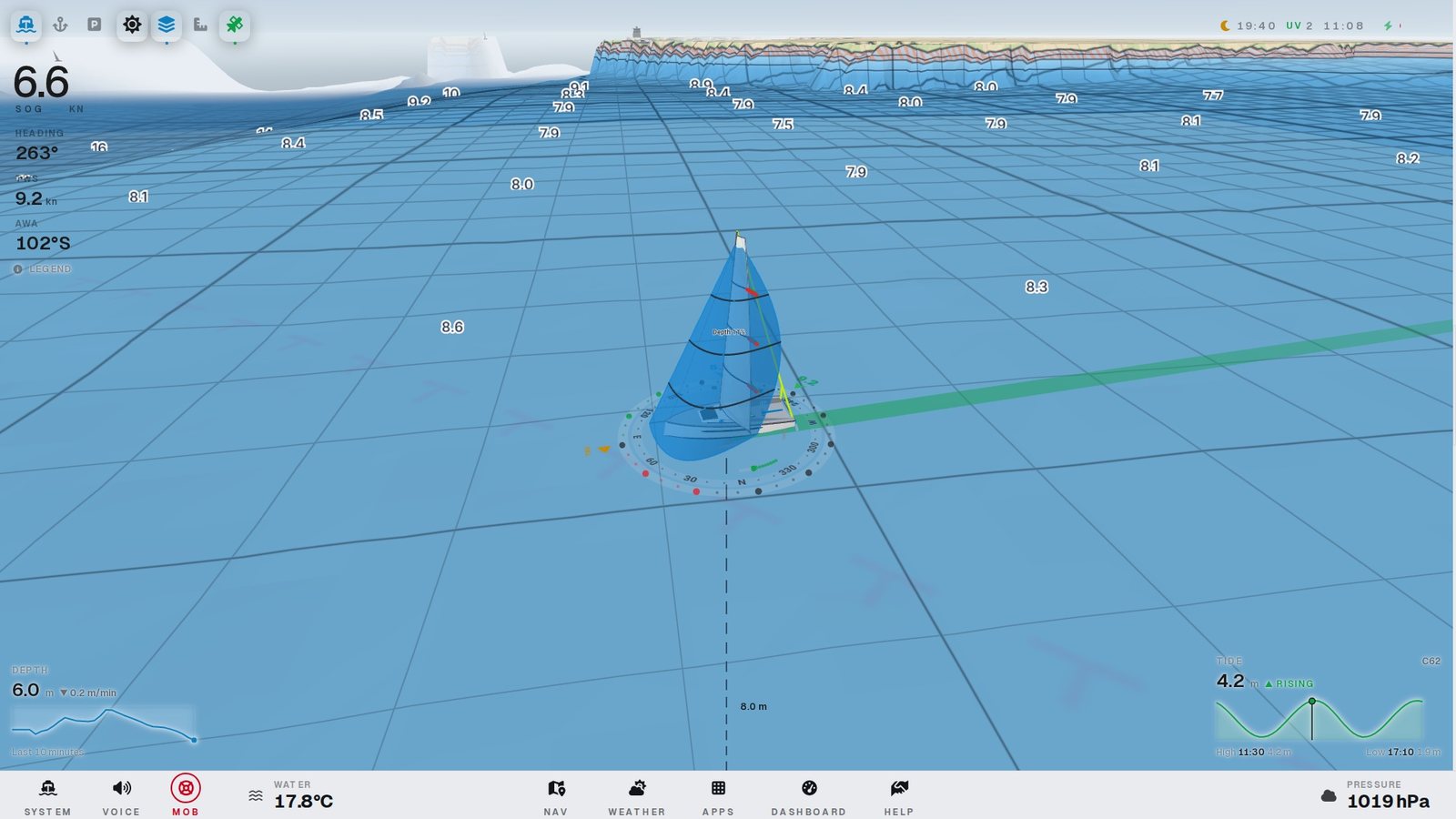
  • The seabed in 3D. SHOM 5–20 m surveys on the French coast, soundings at the current tide, shallow water against your draft hatched in orange.
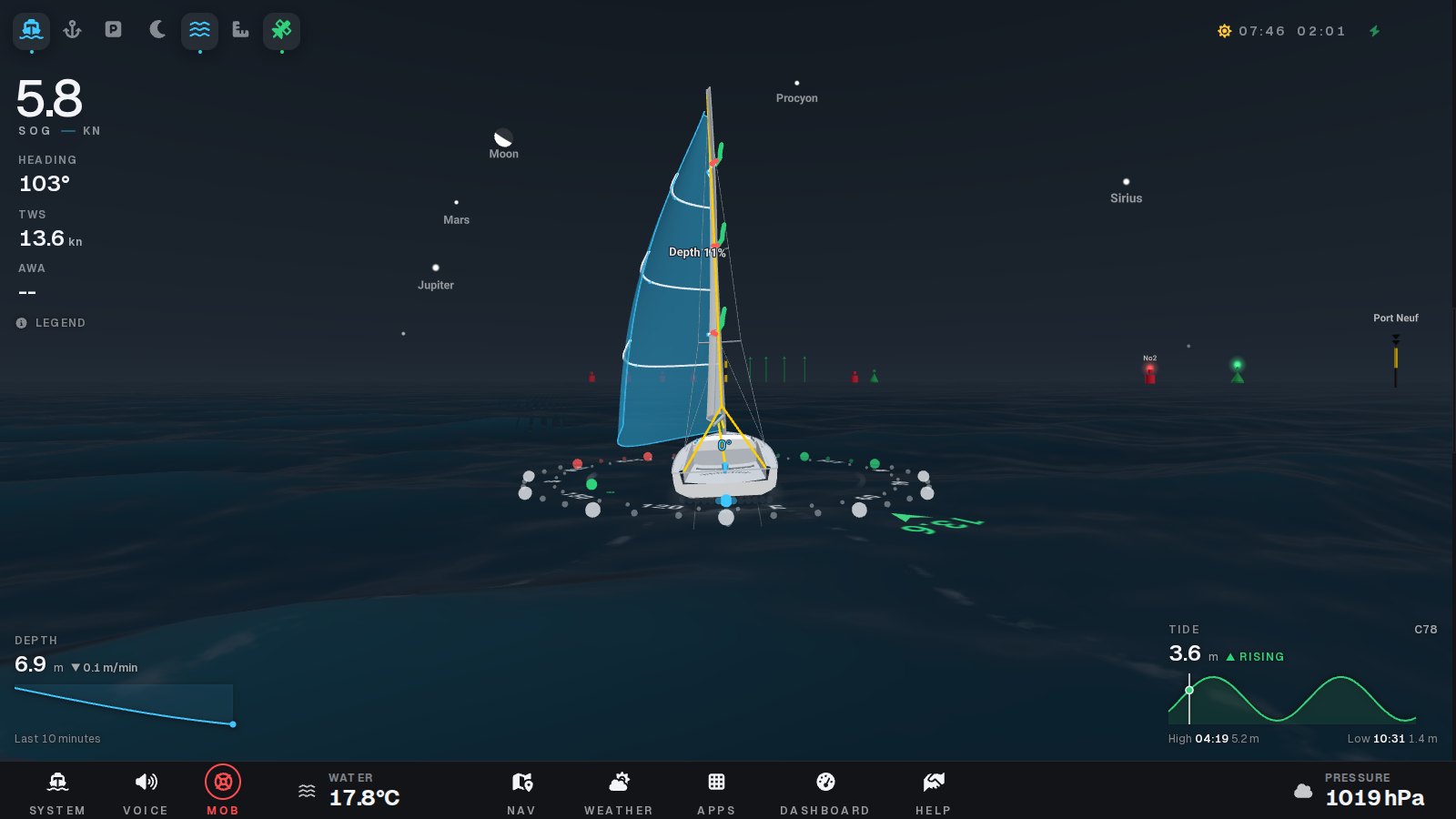
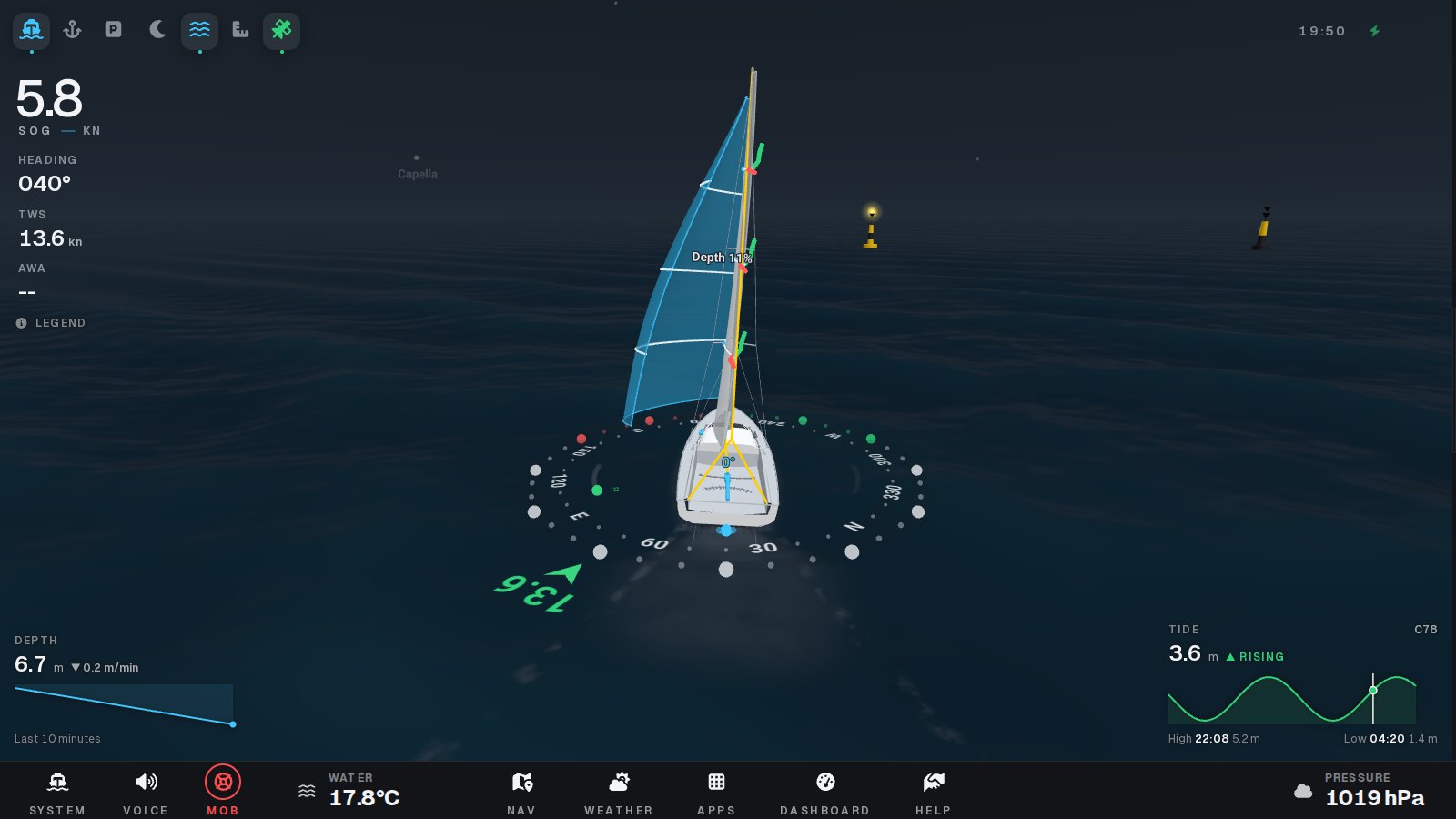
  • Buoys, beacons and the night sky. OpenSeaMap and AIS marks in 3D with their lights flashing, and the stars, planets and Moon where they really are.
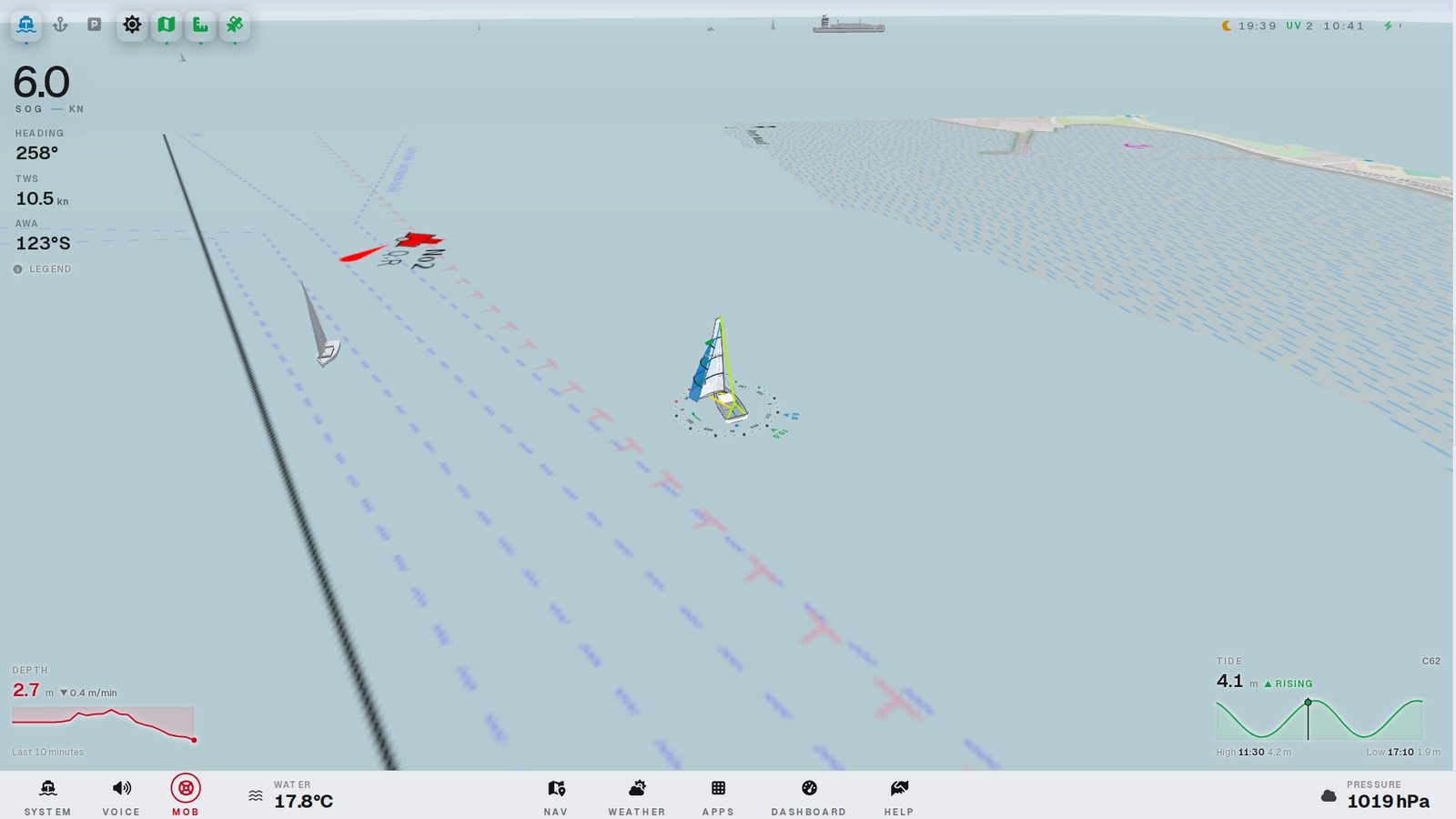
Live chart with buoyage and AIS targets in 3DChart and buoyage
SHOM bathymetry as a survey grid with isobaths and soundingsSHOM bathymetry
Night sky: the Moon, planets and named stars over lit buoysNight sky
Cardinal buoys in 3D at dusk, light flashingBuoys and beacons
Traffic and the rules of the road

Who gives way? Ocearo tells you.

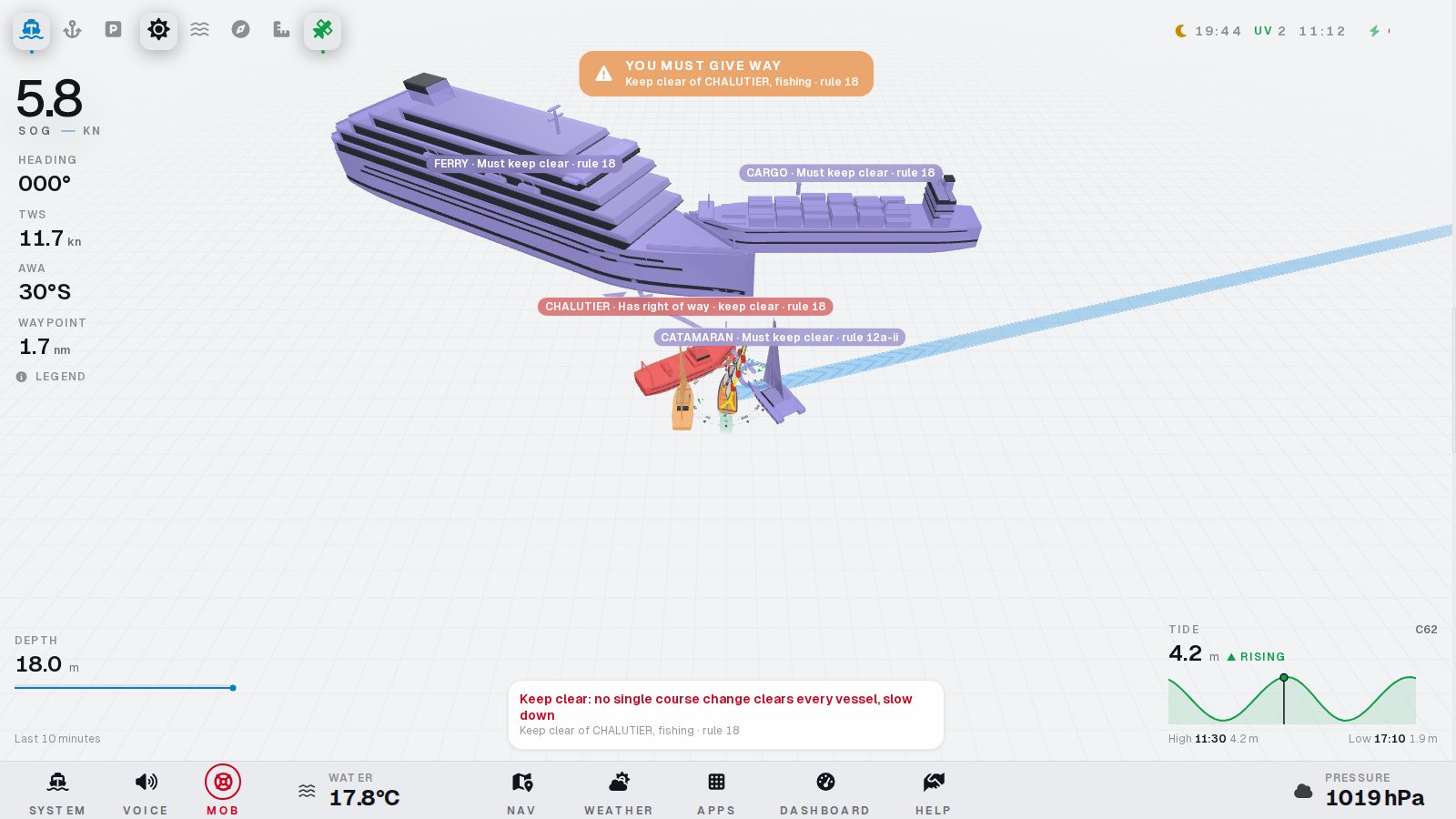
Every AIS target is drawn as its real ship type and size, glides between reports, and is coloured by who must keep clear — with the rule and the alteration to make.

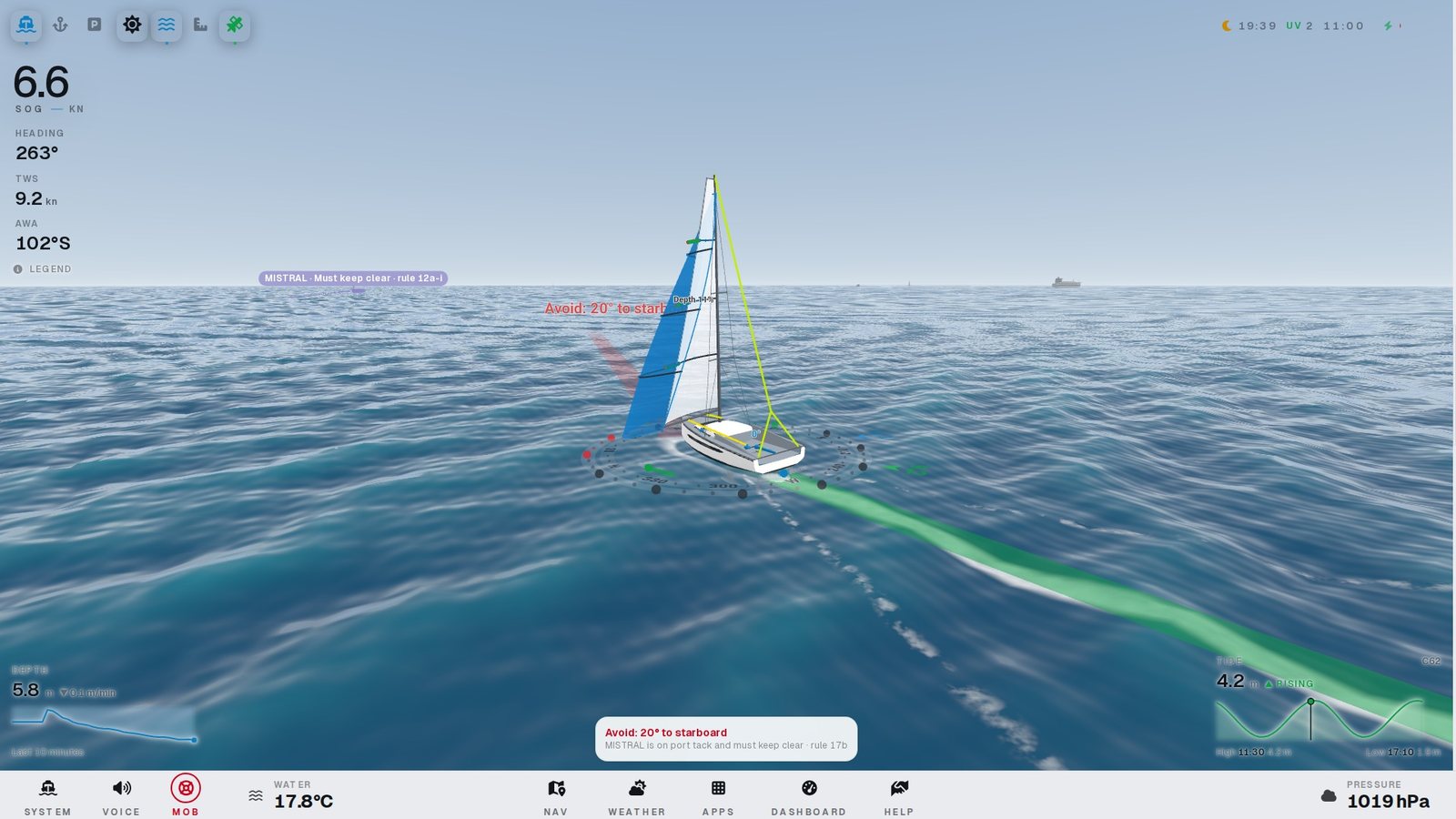
  • Rules 12 to 18 applied live, from each target’s AIS status and type and from your own: under sail, a yacht is not the same vessel as under engine.
  • Clear advice: “Avoid: 15° to port”, the closest point of approach on a dashed line, and a warning when no single alteration clears everyone.
  • Spoken watch with Ocearo Core: “Collision danger: LE PERTUIS at 0.5 miles… pass astern of her.”
Our move Their move Close, no collision course
Busy water: ferry, cargo ship, fishing vessel and yachts, each with its roleBusy water
A port-tack yacht must keep clear of us, rule 12Stand-on, rule 12
Tactics and weather

Sail faster, trim better.

Ocearo draws your sails from the apparent wind and shows where your polars will take you. Racing or cruising, you see the next move.

  • Sails you can trim from the screen: draft stripes, telltales, sheet cars, reefs and the asymmetric spinnaker.
  • Laylines and isochrones: where you will be in 5, 10 and 15 minutes on every heading, VMG advice and a polar ghost boat.
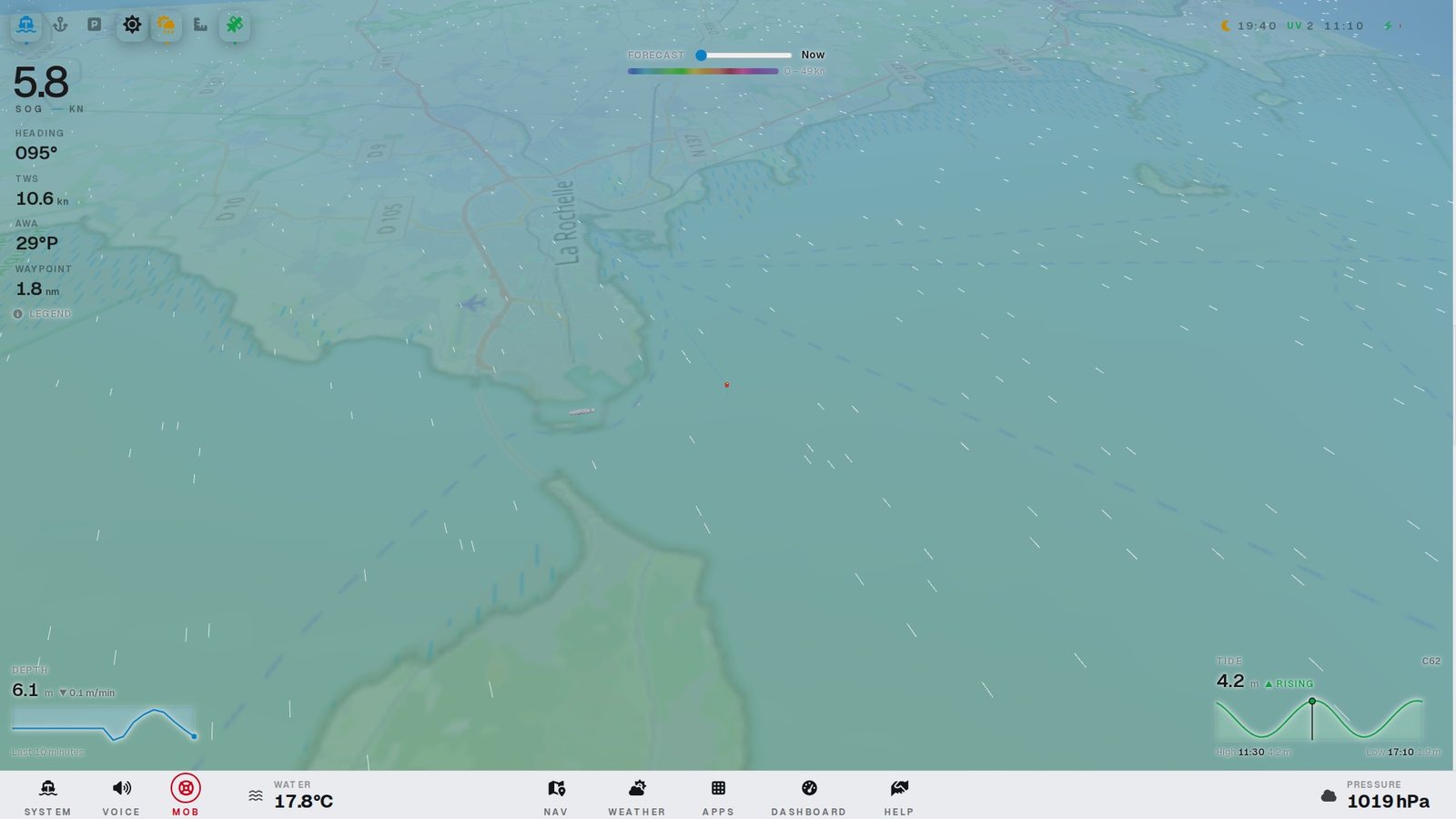
  • 48-hour wind forecast around the boat in Windy colours, kept on board for offline use.
Wind forecast around the boat in Windy coloursWind forecast
Sail trim stripes and telltales under spinnakerSail trim
Safety

When it matters most, one button.

The moments you train for and hope never happen. Ocearo keeps them simple, visible and loud.

  • Man overboard: drop point, the person’s estimated position now from current and leeway, the drift line and the bearing to steer.
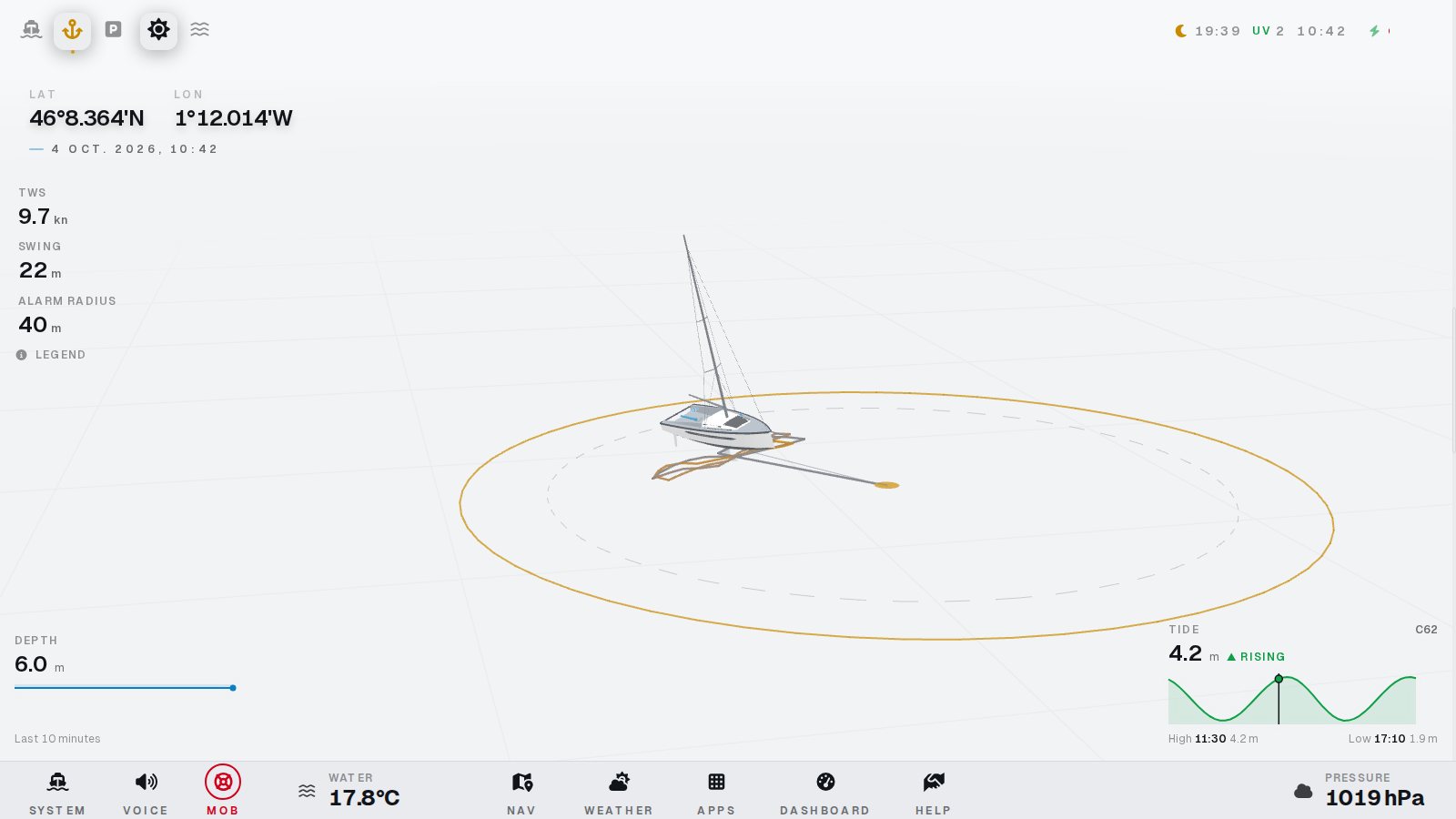
  • Anchor watch: alarm radius, the rode and the real swing track — a dragging anchor shows long before the alarm.
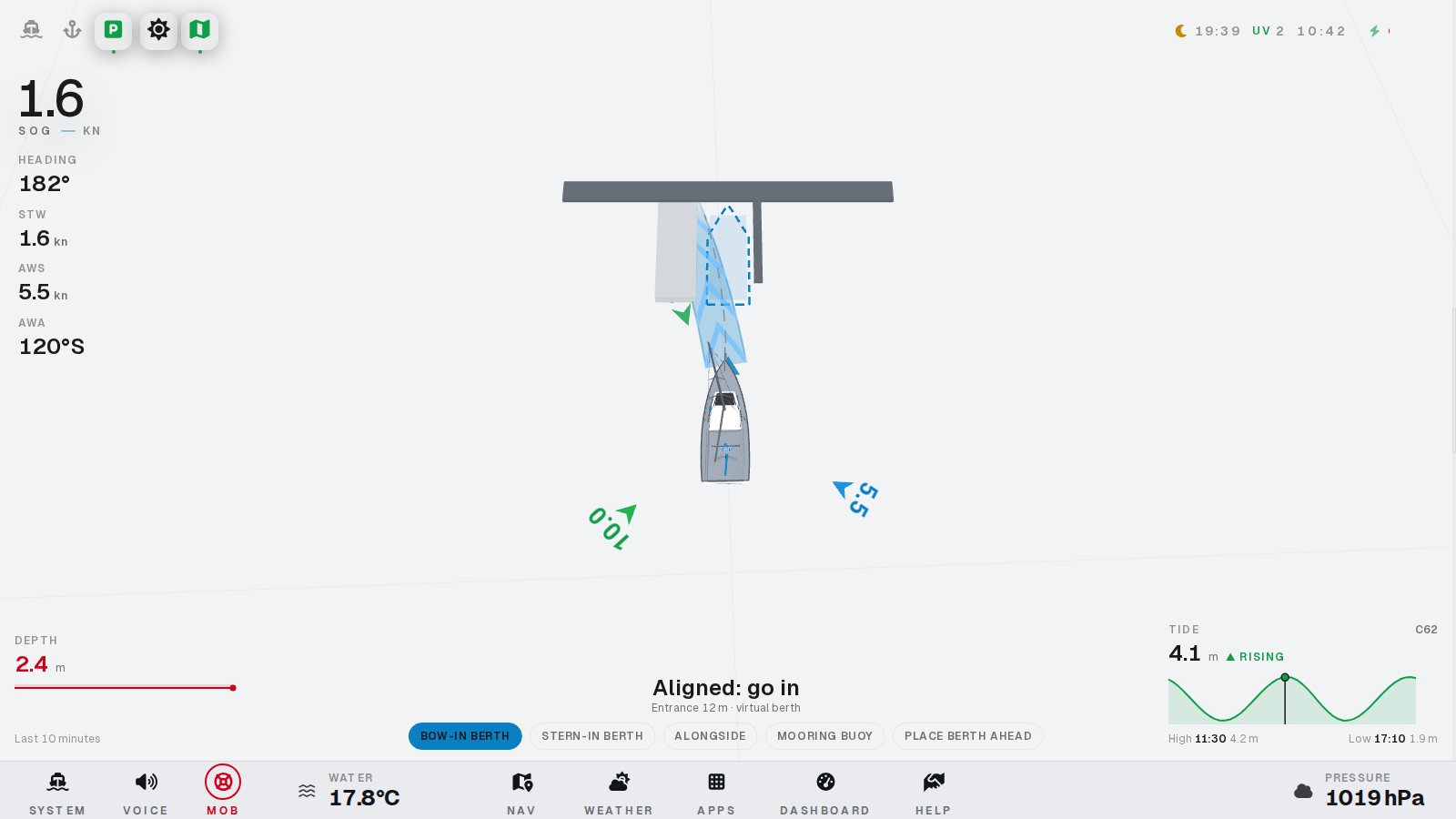
  • Shallow water and parking assist: depth against your draft, and the predicted track into your berth with wind and current.
Anchor watch with alarm ring and swing trackAnchor watch
Parking assist with the predicted track to the berthParking assist
Day, dark and night

Easy on the eyes, day and night.

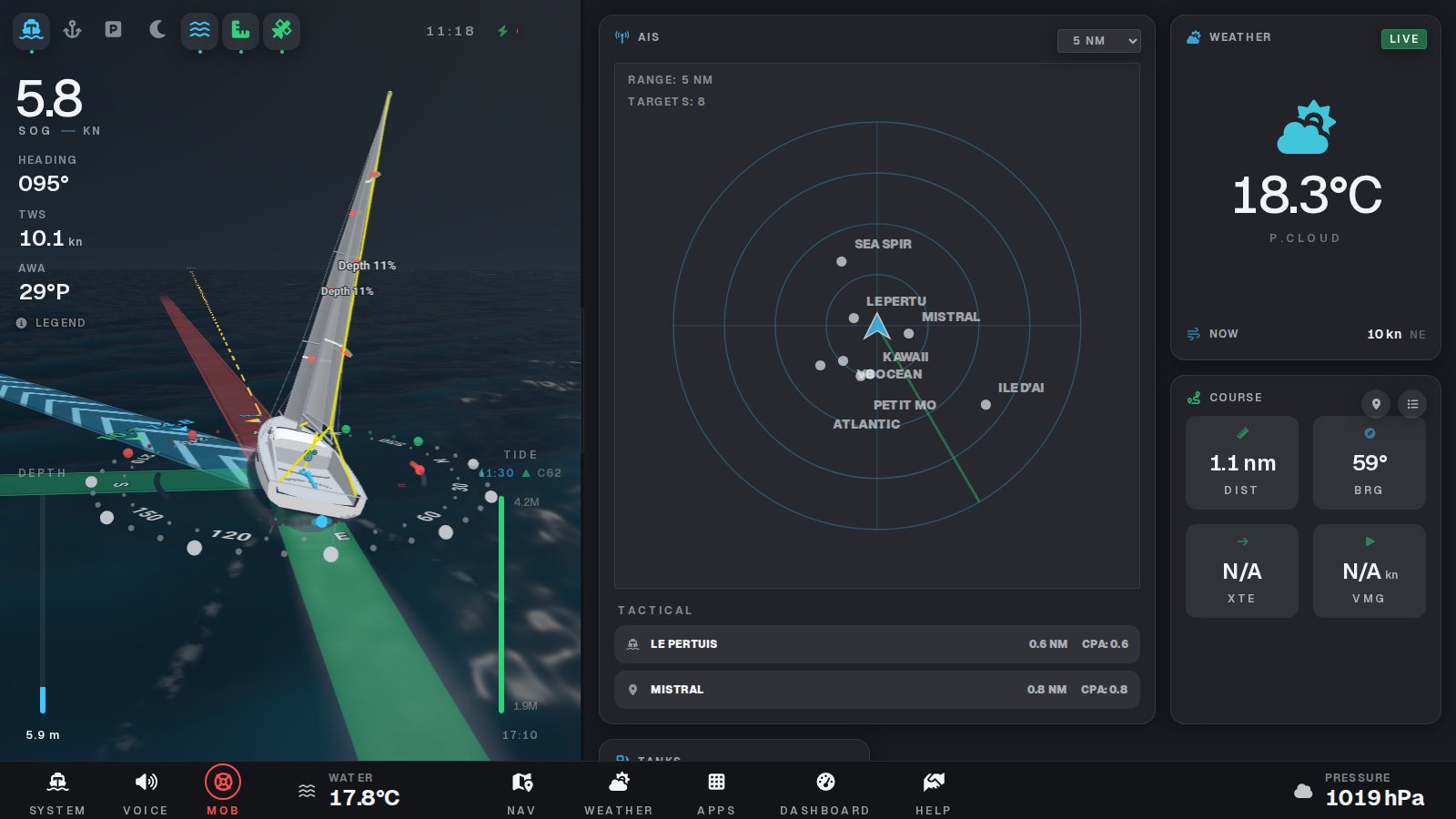
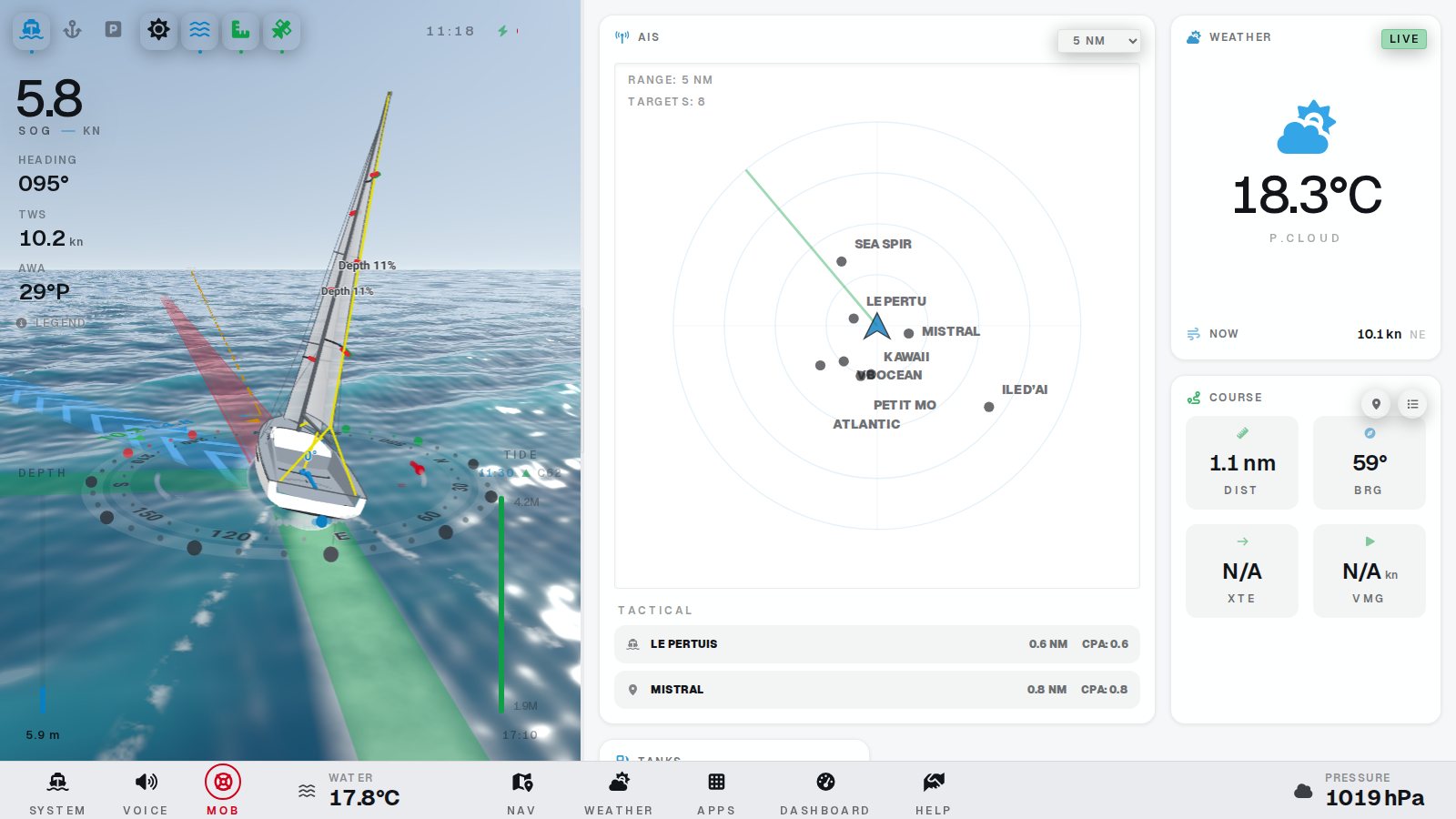
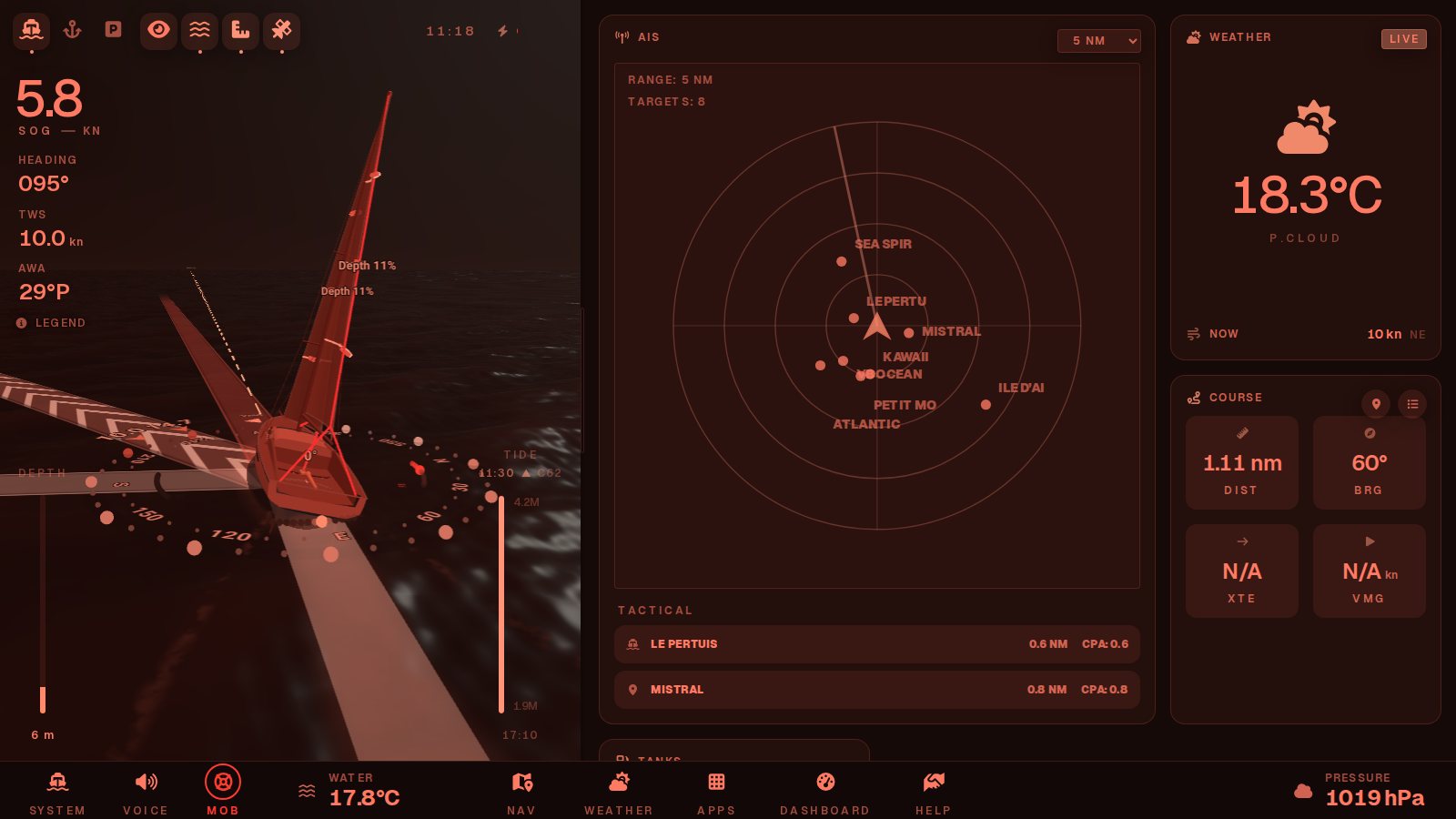
A calm dark theme, a bright day theme, and a red night theme that keeps your night vision. It can follow the sun by itself.

Dashboard in the dark theme: AIS radar, weather and course Dashboard in the day theme Dashboard in the red night theme
The whole boat

One screen for everything on board.

Engine, energy, tanks, logbook, autopilot, media and documents: every system next to the 3D view, from standard Signal K data.

Ocean Robot

Today an extra pair of eyes. Tomorrow, the pilot.

Ocearo stands for Ocean Robot. Like a self-driving car learns to see the road, Ocearo is learning to see the sea — and, step by step, to sail with you.

  1. Today

    An aid to the watch

    A live picture of the boat and the traffic, the rules of the road worked out for every target, spoken alerts, anchor and man-overboard watch.

  2. The goal

    Autopilot by vision

    A pilot that keeps the watch, applies the rules of the road and steers through the Signal K autopilot — with the skipper always in command.

Get started

Up and running in five minutes.

Ocearo is a Signal K webapp. If your boat already runs Signal K, you are one click away.

  1. Install

    Signal K server ≥ 2: Appstore → Available → ocearo-ui, or from the command line.

    npm install ocearo-ui
  2. Open

    Restart the server and open Ocearo on any screen on board: chart table, tablet or phone.

    http://<signalk-server>:3000/ocearo-ui/
  3. Go further

    Add Ocearo Core for the logbook, anchor watch, SHOM bathymetry, spoken alerts and the AI copilot.

    npm install ocearo-core
FAQ

Questions sailors ask

Is Ocearo open source?

Yes, under the Apache 2.0 licence. The code of Ocearo UI and Ocearo Core is on GitHub: you can read it, adapt it to your boat and contribute.

What hardware do I need?

A Signal K server, which a Raspberry Pi 4 or 5 runs comfortably, connected to your instruments (NMEA 2000 or 0183). Any recent browser on a tablet, phone or chart-table screen is a display.

Does it work without internet?

Yes. Your instruments, AIS and the 3D view need no internet. Chart tiles, wind forecasts and bathymetry are kept on board whenever you have a connection, and can be downloaded for the area before you leave.

Is it a certified navigation system?

No. Ocearo is an aid to the watch, like a second pair of eyes. Keep a proper lookout and use official charts; the skipper stays responsible for the boat.

Which boats does it support?

Any boat that publishes standard Signal K data: sailing yachts, catamarans and motor boats. The 3D view offers a 10.8 m racer, a 14 m catamaran and simpler models.

Which languages are available?

Twelve: English, French, German, Spanish, Italian, Dutch, Portuguese, Danish, Swedish, Finnish, Polish and Greek, with metric, imperial or nautical units.

How is Ocearo built?

Mostly with AI coding assistants, in the interest of transparency. The author, a developer and sailor, decides what the app does, reviews the changes and tests it on board, on the boat it is developed on. Code reviews and bug reports on GitHub are especially welcome.

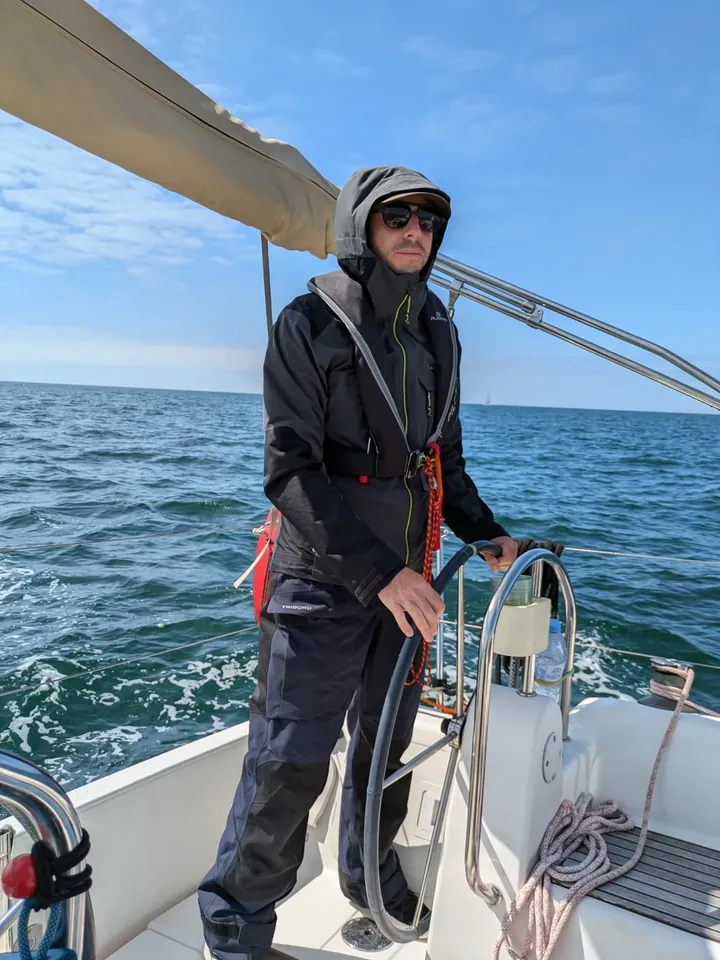
Matthieu Laborie at the helm of his sailing boat, off La Rochelle
About

Made at sea, in La Rochelle

Ocearo is the personal project of Matthieu Laborie, a developer and sailor based in La Rochelle.

It is built for one boat first: every version is tested on board, then shared as open source. Much of the code is written with AI coding assistants; Matthieu decides what the app does and reviews every change. More projects — electronics, Signal K sensors, apps — and a windsurf game are on the author’s page.

The author’s page is in French.

Ready to see your sea differently?

Open the live demo in your browser, or install Ocearo on your boat’s Signal K server today.